
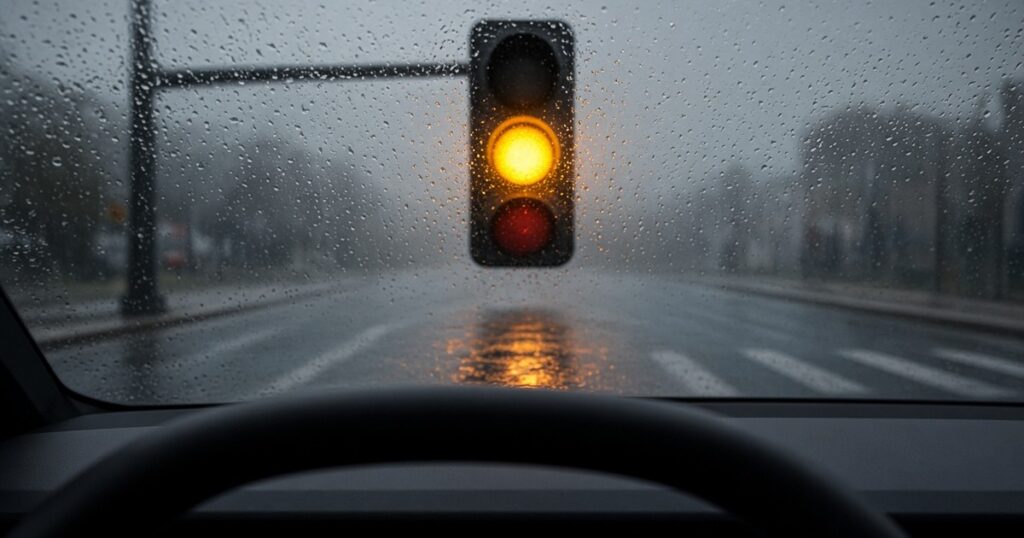
I love my Cybertruck, and if you asked me for its single best feature, I wouldn’t even pause: Full Self-Driving (Supervised). I use FSD every day. I barely drive myself anymore.
Here is the bad morning. While I was driving today, FSD tried to go through yellow lights, and I got three tickets. Three. One of them was the kind that makes your stomach drop, because the truck went through right before the light turned red.
You might ask why I didn’t just hit the brake. In the moment, I missed the timing. And once you miss it, you’re in an awkward spot: too close to stop cleanly, too far along to undo it. At that point the only real option left is to keep going.
And the part that really got me: a few days ago I had already adjusted FSD’s yellow-light response to the Chill profile. I thought I had solved this. Apparently the truck didn’t get the memo.
What I found on my screen
After the morning I had, I went digging. On the screen I checked two things. First, the FSD Stop Signs and Traffic Lights setting, where I had set the yellow-light response to Chill. Second, the Speed Profile. That one was on Standard, which is where I always keep it. Look at the name. It’s the standard. Of course I drive on Standard.
Fact: In the current Cybertruck Owner’s Manual, FSD (Supervised) has a “Speed Profile” setting with five options: Sloth, Chill, Standard, Hurry, and Mad Max. The manual describes Chill as driving “in slower lanes” with “minimal lane changes,” and Standard as driving “at normal speed” and adjusting “to match the flow of traffic.” The default is Sloth. (Source: Tesla, Cybertruck Owner’s Manual, “Full Self-Driving (Supervised)”)
My take: I think Standard is the culprit. To me, Standard accelerates and brakes more aggressively, so when a light turns yellow it would rather step on it and get through than stop. “Match the flow of traffic” sounds harmless until the flow of traffic is a yellow light about to turn red.
What the manual actually says about lights
I wanted to know what Tesla itself promises here, so I read the traffic light section of the manual.
Fact: The manual calls Traffic Light and Stop Sign Control “a BETA feature.” It says the feature uses the forward-facing cameras plus GPS data and slows the car for detected traffic lights, “including green, blinking yellow, and off lights.” It warns that “the behavior … may appear inconsistent” and that “It is the driver’s responsibility to determine whether to stop or continue through an intersection.” It also notes the truck “is not designed to proceed through an intersection when the traffic light is red or if the light turns yellow in situations when there is adequate distance to safely stop before entering the intersection.” (Source: Tesla, Cybertruck Owner’s Manual, “Traffic Light and Stop Sign Control”)
So on paper, the design intent matches my own rule. Stop when there is room to stop. My morning just didn’t match the paper.
How long is a yellow light, anyway?
Fact: The federal Manual on Uniform Traffic Control Devices says the purpose of the yellow change interval is to warn approaching traffic “that their permission to proceed is being terminated.” Its guidance is that a yellow change interval “should have a minimum duration of 3 seconds, and a maximum duration of 6 seconds,” with the longer intervals “reserved for use on approaches with higher speeds.” (Source: FHWA, MUTCD 11th Edition, Section 4F.17)
Three to six seconds. That is the whole window FSD has to make the call. As far as I know, Tesla hasn’t said whether FSD treats each intersection as something it learns over time or simply judges every yellow by general rules, so I’m not going to pretend I know.
My take: Here’s my rule, and I don’t think it’s complicated. Going through a yellow is only okay when the light has just turned and there’s distance to spare. A yellow that’s about to become red means you stop. No exceptions. Standard doesn’t seem to know the difference between those two yellows, and that difference is the entire point.
Why would it push a late yellow?
Honest answer: nobody outside Tesla really knows, because Tesla doesn’t publish its internal logic.
My take (guesses, not facts): Maybe the cameras recognize the yellow a beat late. Maybe it overestimates how much distance it has. Either one would explain what I saw, but I want to be clear these are my guesses, not anything Tesla has confirmed. The good news is that this feels like exactly the kind of thing a software update could improve. I’m going to send Tesla feedback about it.
Stuck between Chill and Standard
This is where I’m stuck. Chill is too slow for me. Standard won’t stop at the yellows I think it should stop at. There’s no setting in the middle that says “drive normally, but please respect a dying yellow.”
So what am I supposed to do? Hover my foot over the brake at every single signal? Or ride along with FSD, tense the whole time?
My take: What’s the point of FSD? FSD isn’t Full Self-Driving.
Fact: That’s also, technically, Tesla’s own position. The manual says FSD (Supervised) “requires a fully attentive driver,” that you “must remain attentive and be ready to take over at all times,” and, in plain words, “You are driving Cybertruck at all times.” (Source: Tesla, Cybertruck Owner’s Manual, “Full Self-Driving (Supervised)”)
Conclusion
So the word in parentheses is doing a lot of work. “(Supervised)” means the final call at a yellow light is mine, not the truck’s, and this morning I got reminded of that the hard way.
FSD is still the best thing about my Cybertruck, and I’ll still use it tomorrow. I just wish it would react a little more sensitively at traffic lights. Earlier. More carefully. Especially when the yellow is about to turn red.
Sources
- Tesla, Cybertruck Owner’s Manual, “Traffic Light and Stop Sign Control”
- Tesla, Cybertruck Owner’s Manual, “Full Self-Driving (Supervised)”
- Federal Highway Administration, Manual on Uniform Traffic Control Devices, 11th Edition (December 2023), Section 4F.17 “Yellow Change and Red Clearance Intervals”